Distance Shape
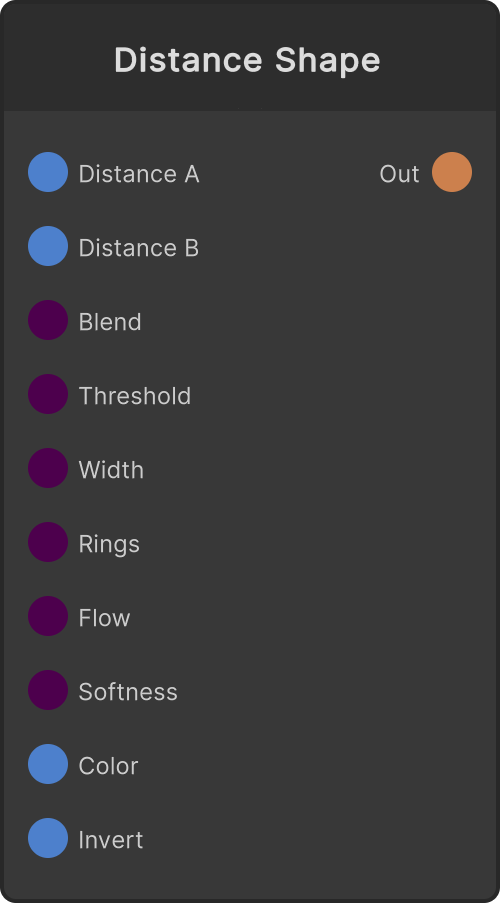
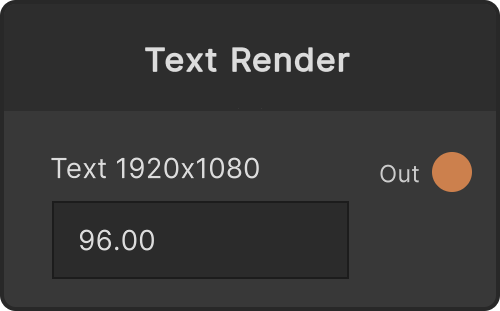
A node that takes the Distance output (a distance field) of Text Render and draws one of a fill, an outline, or contour lines. What you feed it is a distance field, not an ordinary image, so connecting the Render Texture output will not give you the picture you intended.
A distance field is an image where “0.5 is the contour, and ±64px around the contour is mapped into 0-1”. So this node’s Threshold / Width / Rings / Flow / Softness are all in pixels.
What gets drawn is decided by Rings and Width
- Rings = 0, Width = 0 — a fill. The inside of the contour is filled
- Rings = 0, Width > 0 — a band along the contour (an outline).
Widthis the thickness of the band, and it spreads half of it to each side of the contour - Rings > 0 — contour lines. Lines are laid out every
Ringspx. The thickness of a line isWidth(when it is below 1px, it is 1px). WhileRingshas a value, the node does not go into outline mode
Ports
- Threshold — how far the contour is shifted (px, default 0). Positive values fatten it, negative ones thin it. In contour-line mode the whole row of lines shifts
- Width — the thickness of the band / line (px, default 0). Negative values are treated as 0
- Rings — the spacing of the contour lines (px, default 0). Negative values are treated as 0
- Flow — the phase of the contour lines (px, default 0). It has no effect when
Ringsis 0. Drive it with an LFO and the lines keep flowing - Softness — the softness of the edge (px, default 1). Negative values are treated as 0, but there is an internal lower bound of 0.01px, so even at 0 a slight amount of antialiasing remains
- Color — the color (default white). The alpha is multiplied into the opacity of the output
- Invert — inverts black and white (default OFF). The inversion is done last, and the empty area where no distance field is written is inverted too, so turning it ON knocks the shape out and fills the surroundings
Pixels where no distance field is written are treated as “outside the shape”. Distance is only written in a limited area around the glyphs, so however large you make Threshold, and however coarse you make Rings, it never spreads beyond the area that has data.
DistanceA / DistanceB and Blend
- DistanceA only — processes A’s shape as it is.
Blendis ignored - Both — interpolates A→B with
Blend(clamped to 0-1, default 0). 0 is A, 1 is B. Because they are blended while still distances, no point correspondence is needed, and even glyphs with a different number of holes (such as A and O) melt from one shape into the other without breaking - DistanceB only — B is treated as A (
Blendis ignored) - Neither connected — the output is transparent
When you use it to morph typefaces, put the same string into the Text Render on A and on B, and match the placement (Pos X / Pos Y / Scale, and so on) too, so that only the difference between the typefaces is interpolated.
Output
The resolution of Out is the same as the incoming distance field (DistanceA, or DistanceB when that is not connected). It is rebuilt when the input resolution changes. The background is transparent, and the opacity is the drawn mask × the alpha of Color.
Input ports
| Port ID | Type |
|---|---|
DistanceA | RenderTexture |
DistanceB | RenderTexture |
Blend | float |
Threshold | float |
Width | float |
Rings | float |
Flow | float |
Softness | float |
Color | Color |
Invert | bool |
Output ports
| Port ID | Type |
|---|---|
Out | RenderTexture |
Scriptable members
| Path | Type |
|---|---|
blendInput | float |
thresholdInput | float |
widthInput | float |
ringsInput | float |
flowInput | float |
softnessInput | float |
invertInput | bool |
Synapse Apps (scripting)
await synapse.modules.create({ type: "DistanceShape" })