App Fx Chain
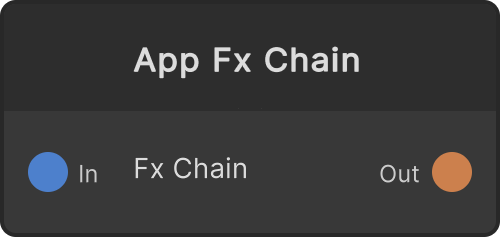
A host node for a chain owned by the Render API. It is not a new renderer: the app creates and connects existing effect nodes (FxShader and other modules that implement IFxChainStepProvider) and hands the ordered list to this node. All this node owns is the Source → effect chain → output Blits and the output RT; the shader processing itself lives in each effect node. The parameters are on the effect nodes too.
If you want to build a chain by plugging effects in manually in the node editor, use Fx Apply.
- Source — the input texture
- Render Texture — the output of the chain. A real RT that can be composited, output, or assigned to a surface just like any other node
The output RT stays the same reference for the lifetime of the module, and its resolution is fixed at the global resolution (it does not follow the input).
When there are 0 effects, it is a passthrough. Effects that are not drawable and ShaderFx with Enable OFF become null steps and are skipped, so one misbehaving effect never turns the whole chain black.
When Source is not connected (or gets disconnected midway), the output buffer is cleared to transparent once. The last image never stays on screen.
Input ports
| Port ID | Type |
|---|---|
Source | RenderTexture |
Output ports
| Port ID | Type |
|---|---|
Render Texture | RenderTexture |
Synapse Apps (scripting)
await synapse.modules.create({ type: "AppFxChain" })