Object Detection
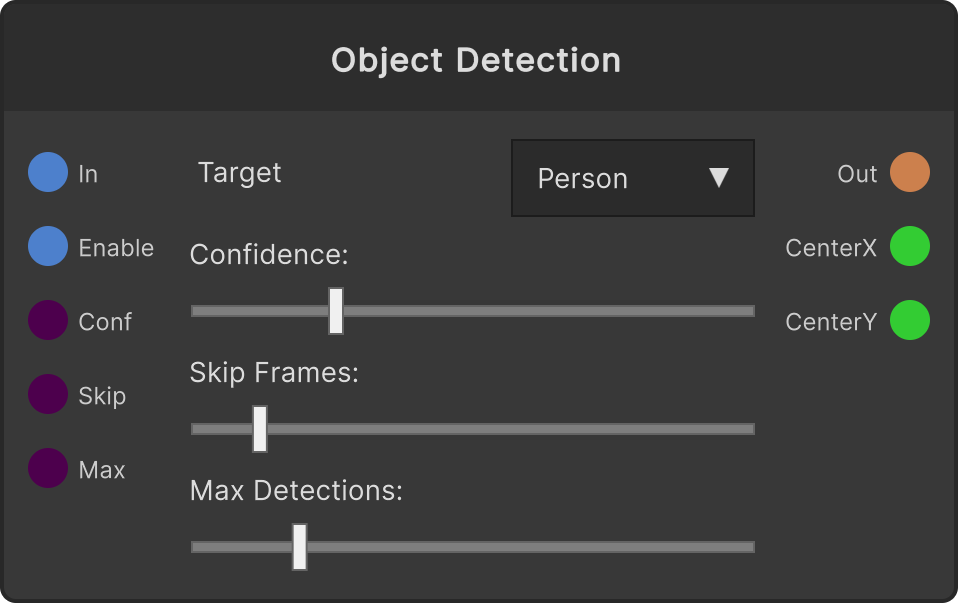
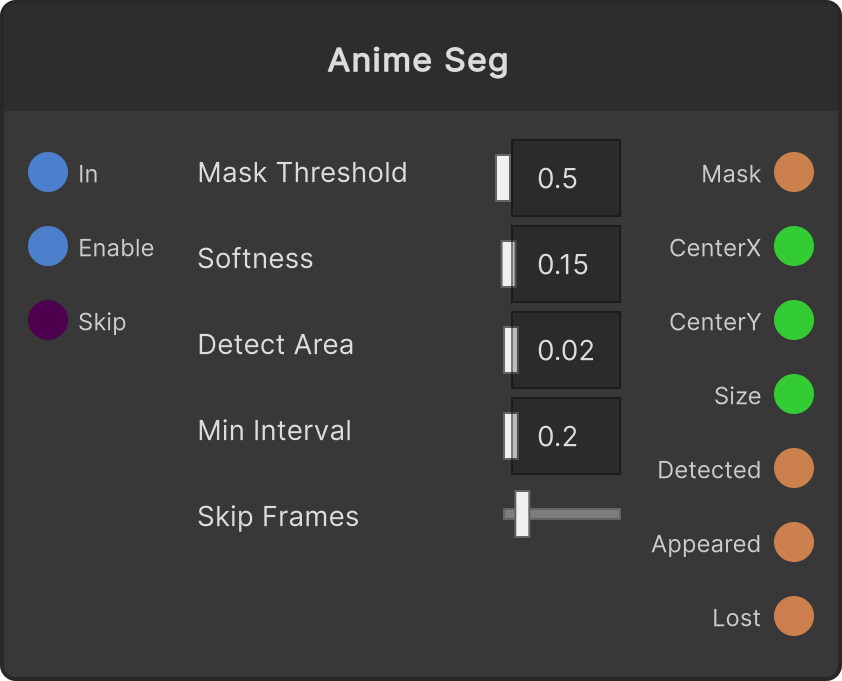
Detects objects in the input video and outputs a mask in which the locations it finds are painted as white rectangles. It looks for the kind of object selected in the Target dropdown — people, cars, animals, and so on. At the same time it also outputs the center coordinates (0–1) of the detection with the highest confidence, so you can drive other nodes from the detected position.
- Target — the kind of object to detect. The default is Person
- Enable — default ON. When OFF, the input passes straight through
- Confidence Threshold — only detections above this confidence are used. Default 0.25 (0–1)
- Inference Every N Frames — how many frames between detections. Default 2 (the higher the number, the lighter it is)
- Max Detections — the upper limit on the number of detections drawn. Taken in order of confidence. 1–50, default 10
- detectedCenterX0 / detectedCenterY0 — the center of the top detection (0–1). When there are no detections, both output 0.5
The mask is a filled rectangle. It is not a cutout that follows the object’s shape.
When several overlapping boxes appear on the same object, all of them are drawn as they are.
It can only detect the single type selected in Target. If you want to handle several types at once, use separate nodes.
On frames where detection does not run, the previous mask is output as it is. When the input is not connected, black is output.
Input ports
| Port ID | Type |
|---|---|
Input Texture | RenderTexture |
Enable | bool |
Confidence Threshold | float |
Inference Every N Frames | int |
Max Detections | int |
Output ports
| Port ID | Type |
|---|---|
Mask | RenderTexture |
Boxes | RenderTexture |
CenterX | float |
CenterY | float |
Size | float |
Count | int |
Detected | bool |
Appeared | trigger |
Lost | trigger |
PointCloud | PointCloudOutput |
Blobs | BlobData |
Scriptable members
| Path | Type |
|---|---|
enableInput | bool |
confidenceInput | float |
skipFramesInput | int |
maxDetectionsInput | int |
isEnabled | bool |
confidenceThreshold | float |
inferenceEveryNFrames | int |
maxDetections | int |
currentMinInterval | float |
Synapse Apps (scripting)
await synapse.modules.create({ type: "YoloDetection" })