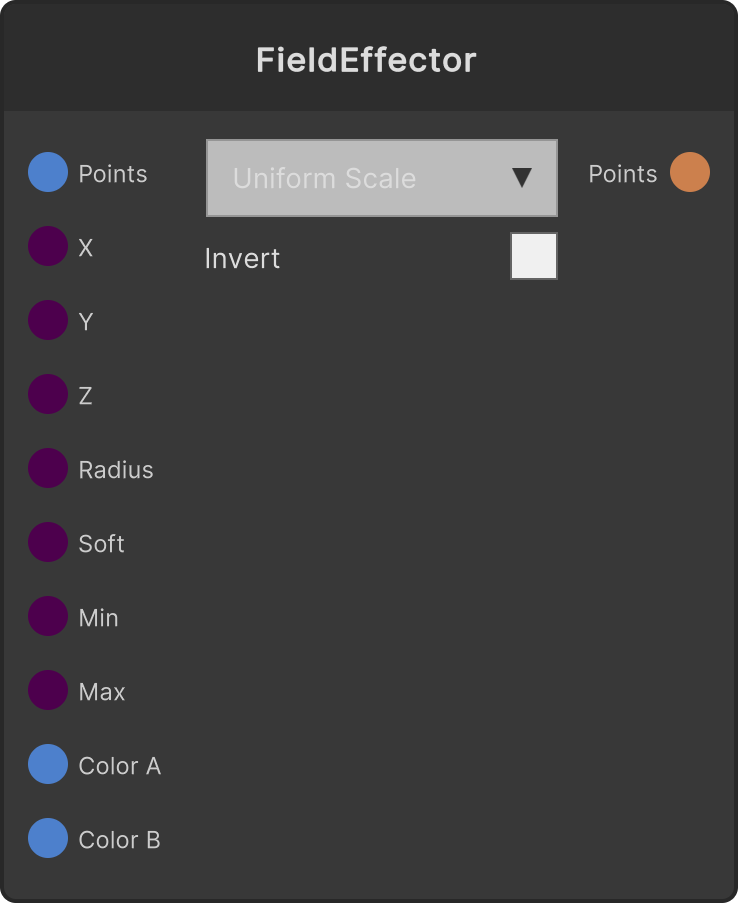
Builds a weight that is 1 inside a sphere of Radius around the center and falls off to 0 toward the edge, maps it to Min-Max, applies it to the selected attribute, and outputs the resulting PointCloud. The radius of the core (the region where the weight is 1) is Radius × (1 - Falloff Softness), and from there out to Radius is a gradient. Moving the center coordinates with something like an LFO sends a wave of change sweeping across the swarm.
- Center X / Y / Z — the center of the field (default 0)
- Radius (default 8, minimum 0.001)
- Falloff Softness — clamped to 0-1 (default 0.5)
- Min / Max (default 1 / 2.5)
- ColorA / ColorB — used only with ColorGradient
- Invert toggle — inverts the weight to
1 - w (default off)
- Target attribute dropdown: UniformScale (default, multiplies the scale, minimum 0.001) / ColorGradient / RotationY (adds the mapped value × 360 degrees to the Y rotation) / PositionY (adds the mapped value to Y)
When Falloff Softness is 0 there is no gradient; it switches to a hard edge (inside the radius = 1, outside = 0).
ColorGradient does not use Min / Max; it uses the weight itself as the interpolation ratio from ColorA to ColorB.
Input ports
| Port ID | Type |
|---|
PointCloud | PointCloudInput |
Center X | float |
Center Y | float |
Center Z | float |
Radius | float |
Falloff Softness | float |
Min | float |
Max | float |
ColorA | Color |
ColorB | Color |
Output ports
| Port ID | Type |
|---|
PointCloud | PointCloudOutput |
Scriptable members
| Path | Type |
|---|
centerXInput | float |
centerYInput | float |
centerZInput | float |
radiusInput | float |
softInput | float |
minInput | float |
maxInput | float |
invert | bool |
Synapse Apps (scripting)
await synapse.modules.create({ type: "FieldEffector" })