Color
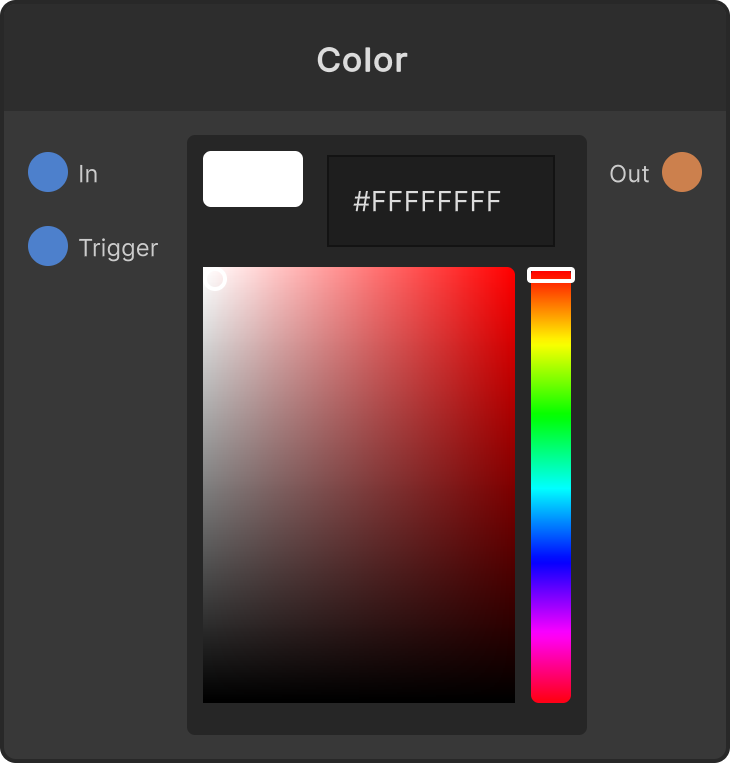
Outputs the color chosen with the color picker on the node from Color Out. The default is white. When a color comes into Color In, it overwrites that color including the picker display, and from then on that is the output. When Trigger fires, the color currently held is output once more (the value does not change). The chosen color is saved in the project.
- Color In — when there is input, it overwrites the picker color (it has no inline color field)
- Trigger — resends the current color
- Color Out — the current color
The picker on the node does not show alpha and has no sliders. Use the picker on the control UI side when you want to work with alpha or the RGB/HSV sliders (that one has alpha display, sliders and a mode switch).
Input ports
| Port ID | Type |
|---|---|
Color In | Color |
Trigger | trigger |
Output ports
| Port ID | Type |
|---|---|
Color Out | Color |
Synapse Apps (scripting)
await synapse.modules.create({ type: "Color" })