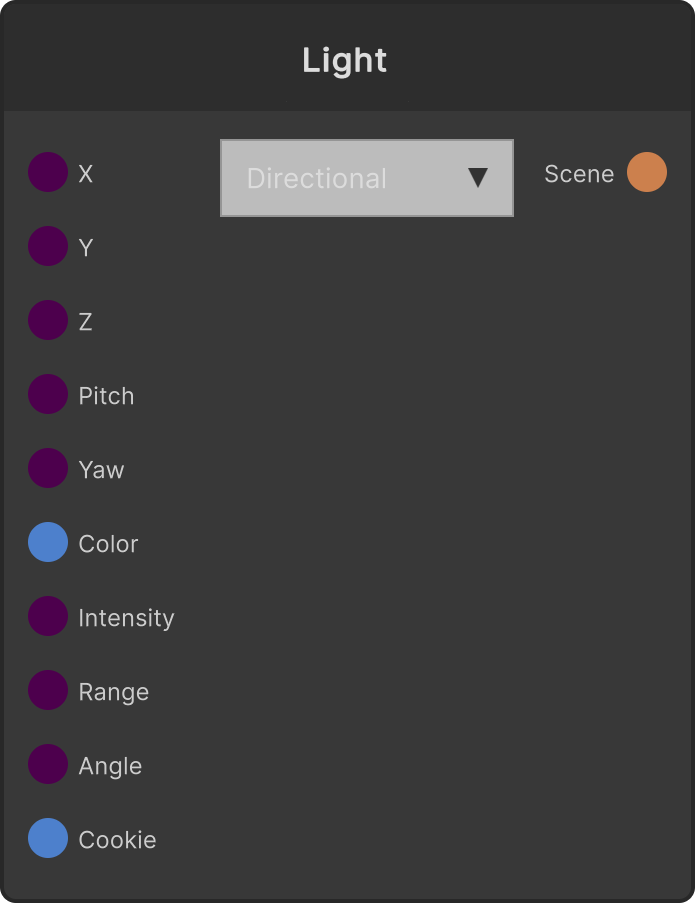
Rather than using Unity’s Light component, it feeds position, direction, color and so on into the Scene output as a descriptor. Render converts that into uniform arrays and passes it to SRLit’s shading calculation. The output is Scene, so connect it to another Render slot alongside a Scene that holds draw items, or run it through SceneTransform. The direction is built from the two axes Pitch / Yaw; there is no Roll.
- Type dropdown: Directional (default) / Point / Spot
- PosX / PosY / PosZ (default 0 / 5 / -5) — position is not used for Directional
- RotX (Pitch) (default 50) / RotY (Yaw) (default -30)
- Color (default white) / Intensity (default 1.5; negative values are treated as 0)
- Range (default 20, minimum 0.01) — for Point / Spot
- Spot Angle (default 45, clamped to 1-179 degrees) — for Spot
- Cookie — RenderTexture input. On Spot it is projected like a projector; on Directional / Point it modulates the light color with the average color of the video
Render can handle up to 8 lights in total across all Scene slots. Anything beyond that is ignored.
Cookie projector projection applies to only one light (the first Spot found).
The average-color modulation for Directional / Point is sampled once every three frames.
Switching the type returns the light color to the value of the Color input once.
Input ports
| Port ID | Type |
|---|
PosX | float |
PosY | float |
PosZ | float |
RotX | float |
RotY | float |
Color | Color |
Intensity | float |
Range | float |
Spot Angle | float |
Cookie | RenderTexture |
Output ports
| Port ID | Type |
|---|
Scene | SceneDataOutput |
Scriptable members
| Path | Type |
|---|
posXInput | float |
posYInput | float |
posZInput | float |
rotXInput | float |
rotYInput | float |
intensityInput | float |
rangeInput | float |
spotAngleInput | float |
Synapse Apps (scripting)
await synapse.modules.create({ type: "Light3D" })