Layer Property
A panel for setting a layer’s position, rotation, scale and rectangular mask numerically.
This is not a standalone window. It used to be a “Layer Property Editor” window opened from the Window menu, but it is now a panel attached to each Layer / Group Layer window. There is no Property entry in the Window menu.
Opening it
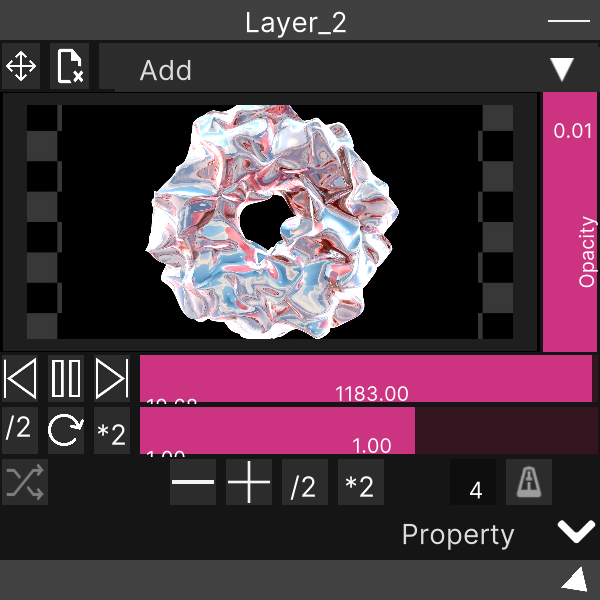
Click the arrow to the right of the “Property” strip at the bottom of a Layer / Group Layer window. Click it again to close.
The panel opens hanging directly below the window, and follows the window when you move it.
The arrow direction does not tell you whether it is open or closed. The same icon is used for both states, so the only way to tell is whether the panel is visible.
If the window sits low on the screen, the panel goes off-screen. There is no mechanism that repositions it automatically to keep it on-screen. Move the window up a little before using Property.
Fields
All of them are numeric input fields. There is no upper or lower limit — whatever you type is applied as-is.
Position (X / Y / Z)
The layer’s display position. It is a translation within the layer’s own canvas, and since the canvas is the same size as the layer resolution, you can treat 1 as 1px. A new layer starts at 0, 0, 0.
Rotation (X / Y / Z)
Rotation angle in degrees. Use Z when you want to rotate within the plane.
Scale (X / Y / Z)
Scale factors. A new layer starts at X = 1, Y = 1.
The Z field is only displayed — it does nothing. Scale is internally a two-dimensional value, so whatever you put in Z is ignored.
RectMask (L / R / T / B / SoftX / SoftY)
A mask that crops the layer to a rectangle.
| Field | Meaning |
|---|---|
| L | How much to cut from the left |
| R | How much to cut from the right |
| T | How much to cut from the top |
| B | How much to cut from the bottom |
| SoftX | Horizontal feather width |
| SoftY | Vertical feather width |
L / R / T / B are “how many pixels to cut inward from that edge”. All 0 means no cropping.
SoftX / SoftY are integers. Decimals you type are rounded to the nearest integer.
Things to remember
- Neither double-clicking nor right-clicking an input field restores its default. There is no reset operation
- Value changes cannot be undone. Note down any value you might want to go back to
- The values set here are saved with the project (
.synapse) - Group Layer has the same panel, and it applies to the whole group
Related
- Layer — the window this panel is attached to
- Group Layer — the Property on the group side is identical