MIDI Clock
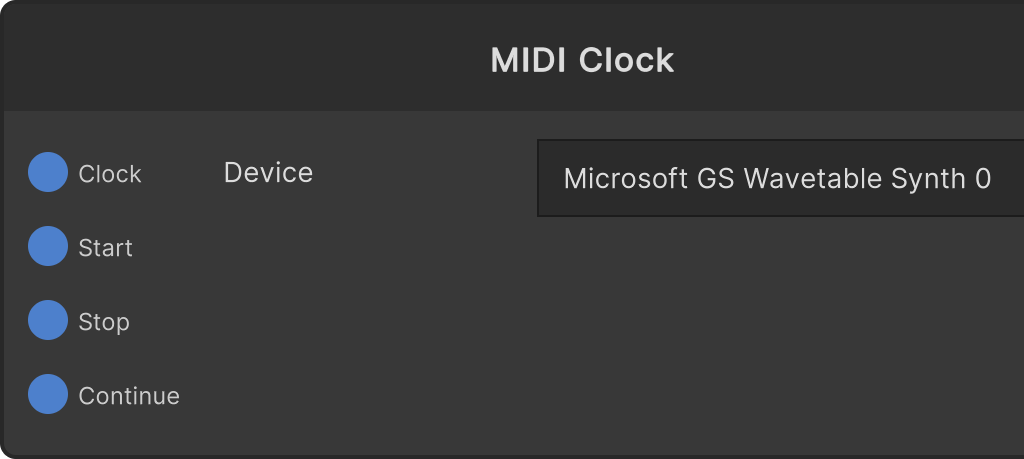
A node that makes external hardware follow SynapseRack’s tempo. While Clock is on, it keeps sending 24PPQN MIDI clock (0xF8) in step with the BPM of GlobalTempo. Starting and stopping the transport is done with the Start / Stop / Continue triggers, which send 0xFA / 0xFC / 0xFB respectively.
- Device — the destination device (kept by name; focusing it rescans the list). While nothing is selected, no clock is sent
- Clock — default off. Turning it off also resets the internal tick accumulation
- Ticks accumulate as
Time.deltaTime × BPM × 24 / 60, so the average rate does not depend on the frame rate - It does not send when BPM is 0 or less
So that ticks are not dumped out all at once right after a long freeze, the number sent in one frame is capped at 24 ticks (one beat). Anything beyond that is discarded.
Clock and transport can be used together (the receiving side starts running from the next 0xF8 after Start).
Input ports
| Port ID | Type |
|---|---|
Clock | bool |
Start | trigger |
Stop | trigger |
Continue | trigger |
Output ports
None
Scriptable members
| Path | Type |
|---|---|
currentDeviceName | string |
clockEnabled | bool |
Synapse Apps (scripting)
await synapse.modules.create({ type: "midi_clock_out" })