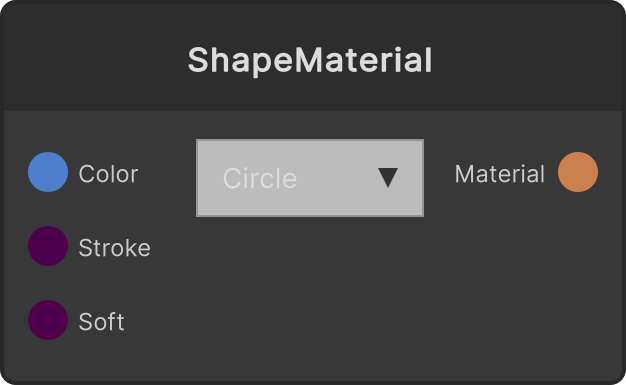
Feeds a material using the SynapseRack/SRShape2D shader to the Material output. The shape is drawn with a distance function in UV space and antialiased with fwidth, so the edges stay sharp even when a Quad is stretched large. Unlike GlowMaterial it is not a billboard, so the shape itself rotates with the point cloud’s Rotation. When Opaque is OFF (default) it is translucent (alpha blending, no depth write), and Render draws it after the opaque pass. The point cloud color is multiplied into Color.
- Shape dropdown: Circle (default) / Box / Cross
- Color (default white)
- Stroke — clamped to 0-0.5 (default 0). 0 fills the shape; above 0 it becomes an outline only
- Softness — clamped to 0-0.5 (default 0). Blur amount added on top of the antialiasing width
- Opaque — OFF by default. Turning it ON writes depth, does not blend, discards alpha below 0.5 and draws it as opaque. When mapped onto a closed solid the faces behind stop showing through from the side, but the smoothness of the edges is lost
Input ports
| Port ID | Type |
|---|
Color | Color |
Stroke | float |
Softness | float |
Opaque | bool |
Output ports
| Port ID | Type |
|---|
Material | MaterialOutput |
Scriptable members
| Path | Type |
|---|
strokeInput | float |
softInput | float |
opaqueInput | bool |
Synapse Apps (scripting)
await synapse.modules.create({ type: "ShapeMaterial" })