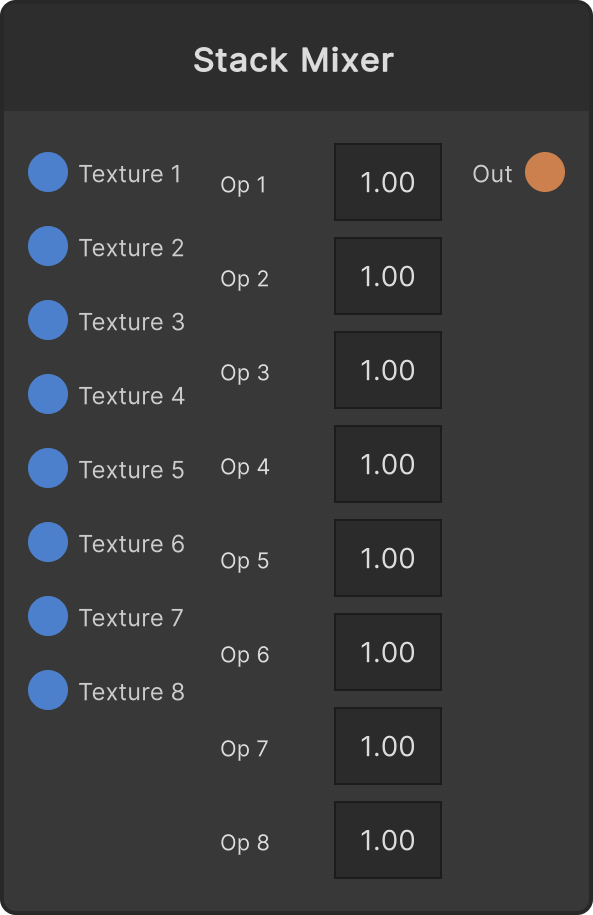
Texture 1 が最下段、Texture 8 が最上段のレイヤースタックです。毎フレーム透明な状態からやり直し、接続済みかつ不透明度が 0 より大きいスロットだけを下から順に重ねていきます。
- opacity1〜opacity8 — 0〜1 にクランプ、既定 1。素材自身のアルファに掛けてから合成するので、上のレイヤーの透明な部分が下を消してしまうことはありません
- blend1〜blend8 — 0 = Normal(既定)/ 1 = Add / 2 = Multiply / 3 = Screen
- ノードUIに出ているのは Op 1〜8 の不透明度だけです。ブレンドモードはスクリプトから設定します
- 出力は起動時のグローバル解像度で固定(入力の解像度には追従しません)
不透明度が 0 のスロットは合成自体をスキップします。有効なスロットが 1 つも無いフレームでは、出力は透明でクリアされます。
入力ポート
| Port ID | 型 |
|---|
Texture 1 | RenderTexture |
Texture 2 | RenderTexture |
Texture 3 | RenderTexture |
Texture 4 | RenderTexture |
Texture 5 | RenderTexture |
Texture 6 | RenderTexture |
Texture 7 | RenderTexture |
Texture 8 | RenderTexture |
出力ポート
| Port ID | 型 |
|---|
Out | RenderTexture |
スクリプトから設定可能なメンバー
| パス | 型 |
|---|
opacity1 | float |
opacity2 | float |
opacity3 | float |
opacity4 | float |
opacity5 | float |
opacity6 | float |
opacity7 | float |
opacity8 | float |
blend1 | int |
blend2 | int |
blend3 | int |
blend4 | int |
blend5 | int |
blend6 | int |
blend7 | int |
blend8 | int |
Synapse Apps(スクリプティング)
await synapse.modules.create({ type: "AppStackMixer" })