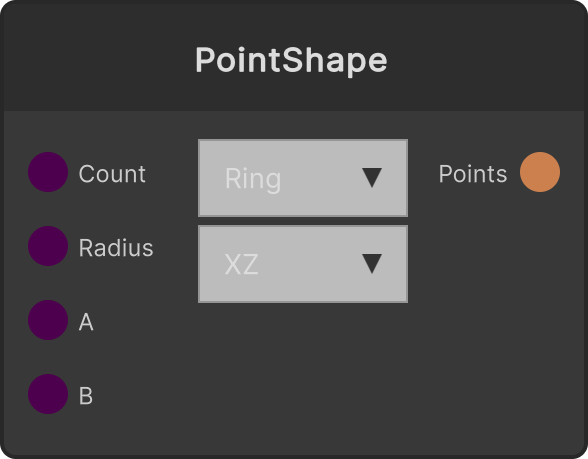
Outputs a point cloud in the mathematical shape selected in the dropdown. A second dropdown selects the plane: XZ is the floor plane (for 3D; rotation is around the Y axis) and XY is the screen plane (for 2D motion graphics with an orthographic camera; rotation is around the Z axis). Not just the position but each point’s Rotation is also set to follow the shape, so feeding it straight into CopyToPoints keeps the orientations aligned. It outputs to other point cloud nodes, or to CopyToPoints / ConnectSequential.
Shapes (dropdown)
- Ring (default) — Evenly spaced around a circle of radius
Radius. Rotation follows the tangent. ParamA / ParamB are unused
- Sphere — Distributed evenly over a sphere using a Fibonacci sphere. Rotation points outward from the center. The plane setting and ParamA / ParamB are unused
- Spiral — On XZ, a helix with a constant radius whose height is
(t-0.5) × ParamB × Radius; on XY, a spiral whose radius grows from 0.15× to 1× of Radius. The number of turns is ParamA
- Line — A straight line along the X axis. Its length is
Radius × ParamB (ParamB has a lower bound of 0.01). The plane setting and ParamA are unused
Parameters
- Count — Number of points (default 64, clamped to 1-65536)
- Radius / Length (default 5)
- ParamA (default 3) — Used only for the number of turns in Spiral
- ParamB (default 2) — Height for Spiral, length multiplier for Line
Input ports
| Port ID | Type |
|---|
Count | int |
Radius / Length | float |
ParamA | float |
ParamB | float |
Output ports
| Port ID | Type |
|---|
PointCloud | PointCloudOutput |
Scriptable members
| Path | Type |
|---|
countInput | int |
radiusInput | float |
paramAInput | float |
paramBInput | float |
Synapse Apps (scripting)
await synapse.modules.create({ type: "PointShape" })