UV Project
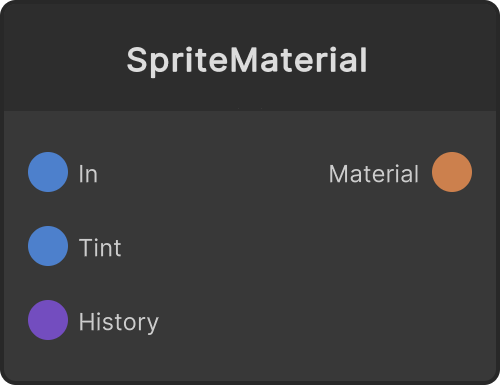
Leaves the vertices, normals and triangles of the input Mesh as they are, rebuilds only the UVs with a projection, and outputs the Mesh. In the meshes from Text 3D and Image Extrude the caps carry the UVs of the source image and the sides carry UVs along the perimeter, so mapping video with SpriteMaterial does not give the picture you intended as is. Insert this node in between to rebuild the UVs.
The projection is based on the mesh’s own bounding box. Even when the position or the size changes with Font Size or the number of characters, the same shape maps the same way. The computation runs only when the input Mesh changes (including a rebake upstream) and when a parameter changes.
Projection modes (dropdown)
- Planar — a planar projection from the direction of Axis. The remaining two axes become U and V
- Box (default) — picks, per face, the planar projection of the axis the vertex normal points at most. Back-facing faces are flipped left-right so they do not mirror against the neighboring face. On a mesh with no normals it is the same as a Planar on Z. Axis is not used
- Cylinder — takes Axis as the axis, with the angle around it as U and the direction along it as V. The seam (the line where U wraps between 0 and 1) is on the far side of the default camera, and when Axis is Z it is at the bottom (-Y)
- Sphere — takes latitude and longitude from the direction out of the center of the bounding box. The position of the seam is the same as for Cylinder
Axis (X / Y / Z, default Z) is the projection direction for Planar and the axis for Cylinder / Sphere. With Cylinder / Sphere the vertices of triangles that straddle the seam are duplicated, so the output can end up with more vertices than the input.
Notes on the ports
The rebuilt UVs are transformed in the order scale about the center → rotate → offset. The order and the direction of rotation are the same as UVOffset / UVScale / UVRotate on the SpriteMaterial side. Scrolling and tiling that move every frame belong on the material side; this node computes only when something changes.
- UVScaleX / UVScaleY (labeled Scale X / Scale Y on the node) — the UV multiplier (default 1)
- UVOffsetX / UVOffsetY (labeled Offset X / Offset Y) — the UV shift (default 0)
- UVRotate (labeled Rotate) — the UV rotation (in degrees, default 0)
Preview
The preview on the node maps a checker pattern and shows it rotating. Turning the UV Layout toggle ON switches to a layout view that lays the edges of the triangles out in UV space (the 0-1 range shown as a checker), where you can read stretching, mirroring, seams and anything spilling outside 0-1.
An imported mesh that cannot be read (Read/Write disabled) cannot have its UVs rebuilt, so the output is empty and a warning is printed to the console once.
Input ports
| Port ID | Type |
|---|---|
Mesh | MeshInput |
UVScaleX | float |
UVScaleY | float |
UVOffsetX | float |
UVOffsetY | float |
UVRotate | float |
Output ports
| Port ID | Type |
|---|---|
Mesh | MeshOutput |
Scriptable members
| Path | Type |
|---|---|
scaleXInput | float |
scaleYInput | float |
offsetXInput | float |
offsetYInput | float |
rotationInput | float |
showUVLayout | bool |
Synapse Apps (scripting)
await synapse.modules.create({ type: "UVProject" })