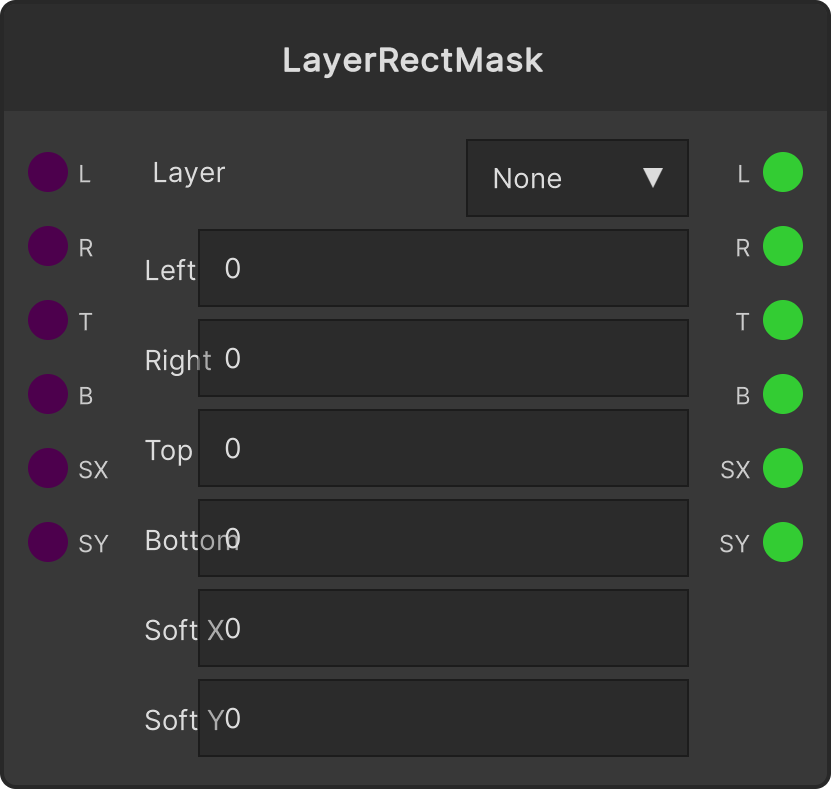
Crops the selected layer to a rectangle. In addition to the top, bottom, left, and right positions, you can set the edge blur separately for X and Y.
The output of a Layer node is not an echo of its input, but the actual value of the layer picked in the dropdown. Even with nothing plugged into the input, values moved from the Layer window or over MIDI flow out of the output, so you can use a layer’s state to control other nodes (a bidirectional design where the node is both a write point and a read point).
Input ports
| Port ID | Type |
|---|
Layer | LayerRef |
Left | float |
Right | float |
Top | float |
Bottom | float |
Softness X | float |
Softness Y | float |
Output ports
| Port ID | Type |
|---|
Left | float |
Right | float |
Top | float |
Bottom | float |
Softness X | float |
Softness Y | float |
Scriptable members
| Path | Type |
|---|
inputLeft | float |
inputRight | float |
inputTop | float |
inputBottom | float |
inputSoftnessX | float |
inputSoftnessY | float |
Synapse Apps (scripting)
await synapse.modules.create({ type: "LayerRectMask" })